Ricky


Basic ControlLogix Instructions

Introduction to Basic ControlLogix Instructions An easy way to learn Basic ControlLogix Instructions is to understand how to convert logic to English.    Before we do this, we need to understand three basic instructions:  XIC, XIO, and OTE. The XIC (Examine if Closed, or Examine On) instruction can look at any Read More »
Featured Image

ControlFlash 1

Introduction to ControlFlash ControlFlash is a firmware update utility.   When replacing modules in a ControlLogix system, the program is configured to look for a specific revision of a module.   When you replace a module, you may need to use ControlFlash to update the module’s firmware.    The firmware Read More »

ControlFlash Success

Ethernet Commuication 2

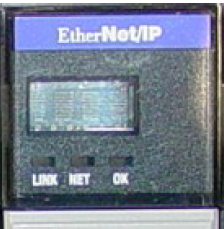
Introduction to Ethernet Communication Ethernet Communication is probably the most common protocol used in Industrial Automation.    Ethernet communication has been a standard since around 1983, and allows computers to connect to each other over a local area network.  When computers are connected to a network, they can share files, Read More »

Ethernet Module

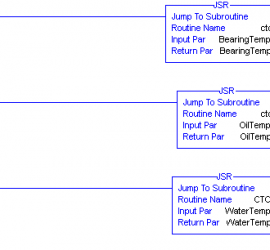
Passing Parameters to Subroutines 6

Introduction to Passing Parameters to Subroutines We’ve already discussed simple subroutines.  In most cases, subroutines are just used for the purpose of organization.   Now, we will use subroutines as functions.  We will create a subroutine that converts Celsius to Fahrenheit.   Once we create the subroutine, we will use Read More »

Final JSRs

ControlLogix Simple Subroutines 1

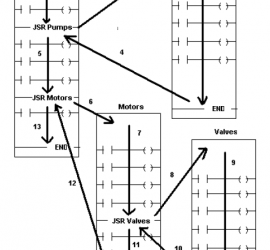
Introduction to Simple subroutine. We use ControlLogix simple subroutines mainly for the purpose of organization.    You can add all of the logic to the MainRoutine.  However, it’s easier to program and troubleshoot when you divide logic into subroutines. You need to tell the processor to execute subroutines with the JSR Read More »

Nesting Subroutines

ControlLogix Aliasing 2

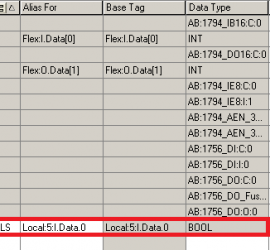
Introduction to ControlLogix Aliasing An Alias is just another name.   ControlLogix aliasing is just another name for a tag.   If you haven’t set up your I/O yet, look at the document on how to set up local I/O and remote I/O over Ethernet.  You can alias a tag Read More »

Create Alias

ControlLogix Ethernet I/O

Introduction to ControlLogix Ethernet I/O Controllogix Ethernet I/O is inputs and outputs in another chassis (besides the local chassis) that we are reading and writing to.  Remote I/O is very important for large systems.   We will normally use Remote I/O if the system has more I/O than what will fit in Read More »

Remote I/O Steps

ControlLogix Local I/O

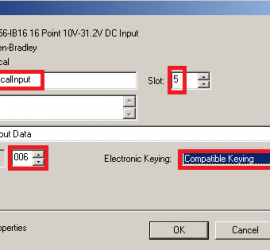
Introduction to ControlLogix Local I/O ControlLogix Local I/O is input and output modules are modules that are in the same chassis where the processor resides.  This is the definition of the Local Chassis in ControlLogix  All tags for all modules in this chassis will begin with the word “Local” in Read More »

IB16 Dialog

Starting a Project in Studio 5000

 Starting a Project (from scratch) in Studio 5000 When you are starting a project in Studio 5000, you are building a new project from scratch.   Many of you will need to do this if you have a unit set up in your shop.  At times, you will want to try Read More »

Studio 5000 Splash Screen

BootP-DHCP Server 1

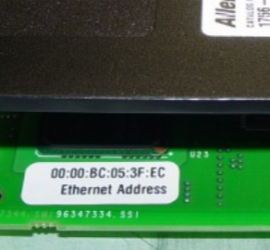
Introduction to the BootP-DHCP Server The BootP-DHCP Server assigns an IP address to modules.   Every node (most devices) on the same Ethernet Network must have a different IP address.   To assign an IP address to a module, you must know what the IP address needs to be.   Read More »

BootP MAC