Vintage Computers


KIM-1 (UNO) 6502 ScoreBoard

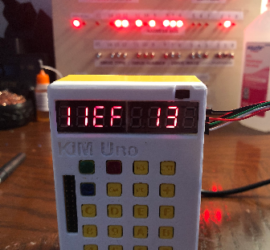
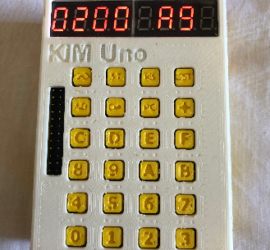
Introduction to the KIM-1 (UNO) 6502 ScoreBoard In this section, we’ll build a KIM-1 (UNO) 6502 ScoreBoard. Basically, you will have the visitor score on the left, and the home score on the right. I’m separating the two displays with the letters “EF” in the center display. (Enemies on left, Read More »

Kim-1 Scoreboard Program

KIM-1 (UNO) 6502 Counter

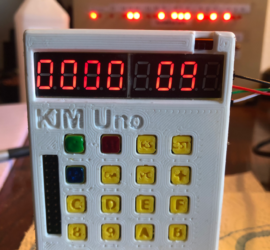
Introduction to the KIM-1 (UNO) 6502 Counter In this post, we’ll build a KIM-1 (UNO) 6502 Counter. We’ll use assembly language for this project. Basically, you can use this code to learn more about assembly. In this project, button #1 will increase the counter. Likewise, button #2 will reset the Read More »

Kim-1 (UNO) 6502 Counter

Kim-1 (UNO) GETKEY Routine

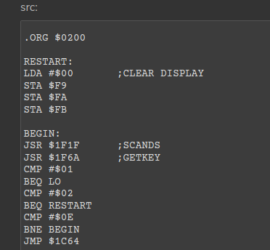
Introduction to the Kim-1 (UNO) GETKEY Routine The Kim-1 (UNO) GETKEY Routine allows us to accept user input. When the user presses a key, we can take action on that key. The GETKEY routine resides at $1F6A on the Kim Uno. In this post, we’ll write a simple program that Read More »

Kim Uno

Kim-1 (UNO) SCANDS Routine

Introduction to the Kim-1 (UNO) SCANDS Routine The Kim-1 (UNO) SCANDS Routine is built into the Kim-1. This allows you to display data on the 6-Segment LED display. Basically, this just takes data from $FB, $FA, and $F9. We simply use the JSR instruction to jump to the subroutine at Read More »

Kim UNO

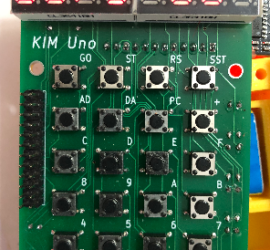
Programming the Kim-1 (Uno)

Introduction to Programming the Kim-1 (Uno) Programming the Kim-1 (Uno) is a lot of fun, and you can learn very quickly. You can read the instructions to build the Kim Uno here. In my case, I just downloaded the gerber files, and had the boards made. They are much easier Read More »

Kim-1 UNO

Altair Front Panel Programming

Introduction to Altair Front Panel Programming Altair Front Panel Programming allows us to enter a program using the front panel switches. In the early days of computers, terminals were expensive. Most of those who were building the Altair 8800 would enter a program through the front panel switches. The advantage Read More »

Altair Front Panel

Kenbak-1 SKIP Instruction 2

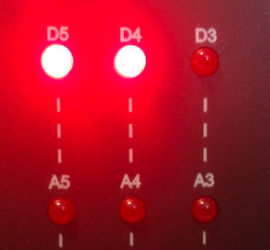
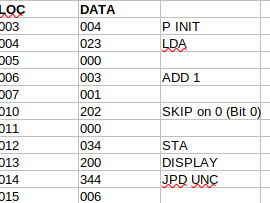
Introduction to the Kenbak-1 SKIP Instruction The Kenbak-1 SKIP Instruction allows us to skip an instruction in memory. We base this on a certain bit at a memory cell being high or low. Let’s say we only want to display odd numbers. If bit zero is high on the value Read More »

Kenbak-1 SKIP instruction

Kenbak-1 SET Instruction

Introduction to the Kenbak-1 SET Instruction The Kenbak-1 SET Instruction allows us to turn a bit on, or shut a bit off within a byte. This is a two byte instruction. The first byte contains the instruction. The second byte contains the address to be operated on. For this exercise, Read More »

Kenbak Emulator

Kenbak-1 Shift and Rotate Instructions

Introduction to Kenbak-1 Shift and Rotate Instructions Kenbak-1 Shift and Rotate Instructions allow us to manipulate data at a memory location by moving bits around within a byte. Specifically, the “A” or “B” Register. This is a 1-byte instruction. Not only is this good for cosmetic appearance of your project, Read More »

Kenbakuino

Kenbak-1 Overflow and Carry Registers

Introduction to Kenbak-1 Overflow and Carry Registers Kenbak-1 Overflow and Carry Registers will tell us when a math instructions results in a value that is out of range. In this post, we’ll discuss all values in OCTAL. Keep in mind the Kenbak-1 always thinks in BINARY. At the same time, Read More »

Kenbak-1 overflow and carry