Vintage Computers


IMSAI 8080 Console I/O

Introduction to IMSAI 8080 Console I/O In this section, we’ll send text to the IMSAI 8080 Console I/O. This is useful in your programs for interfacing with the operator. In this case, we’ll be using assembly language. The assembler I’m using is Z80ASM. I’ll just be creating a non-document file Read More »
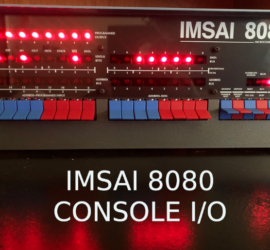
IMSAI 8080 Console I/O

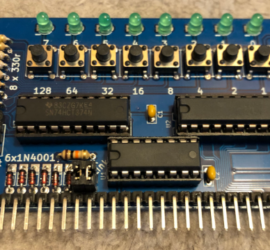
Digital I/O Module for RC2014

Introduction to the Digital I/O module for the RC2014 The Digital I/O module for RC2014 allows you to use inputs and outputs in your program. You can build this in less than an hour, and use it in your projects for ports 0 to 3. Diodes disable the 74HC138 port Read More »

Digital I/O Module for RC2014

Using Telnet under Windows

Introduction to Using Telnet under Windows It’s important to realize that Using Telnet under Windows or any other operating system is insecure. In other words, telnet does not encrypt the data. A better option would be to use a protocol such as Secure Shell (SSH). On the other hand, there Read More »

Using Telnet under Windows

Using UNZIP on the Altair

Introduction to Using UNZIP on the Altair Duino Using UNZIP on the Altair allows you to zip multiple files on another machine. Once you zip a series of files, they become one file with the .ZIP extension. That way, you only need to transfer one file over XMODEM. Not only Read More »

Using UNZIP on the Altair

Zeta V2 With ParPortProp

Introduction to Zeta V2 With ParPortProp The Zeta V2 With ParPortProp is a Z80 computer with 512k RAM/ROM. This machine is fully capable of running CP/M, and you have several options for storage. First, you can store files to an SD module. Secondly, you can use a Floppy Disk drive. Read More »

Zeta V2 With PartPortProp

Building the Southern Cross Computer

Introduction to Building the Southern Cross Computer Building the Southern Cross Computer is very easy, even for beginners. There are no surface mount components, and the soldering pads are large, and durable. The purpose of the Southern Cross Computer is to teach you how computers work. You can find the Read More »

Building the Southern Cross Computer

RC2014 Serial Communication with Arduino

Introduction to RC2014 Serial Communication with Arduino When we set up RC2014 Serial Communication with Arduino, we simply need to use 3 wires. This will be Transmit, Receive, and Ground. In this section, we’ll simply get the Arduino to print “Hello World” to the RC2014. The maximum distance for this Read More »

RC2014 Serial Communication with Arduino

IMSAI 8080 on the Internet

Introduction to running your IMSAI 8080 on the Internet When running your IMSAI 8080 on the Internet, keep in mind that the machine is from 1976. This was long before the Internet as we know it became popular. Although we can connect the IMSAI 8080 to the Internet, we cannot Read More »

IMSAI 8080 on the Internet

Z80ASM on IMSAI 8080

Introduction to the Z80ASM on IMSAI 8080 (Assembly Language) Running Z80ASM on the IMSAI 8080 allows you to assemble a program right on your IMSAI. In other words, you don’t need to rely on another computer to assemble your program. You can create a text file containing your program. After Read More »

Z80ASM on IMSAI 8080

S-132 Terminal for IMSAI 8080esp

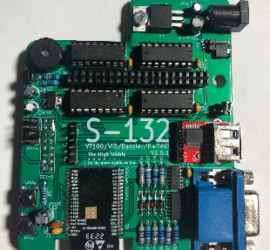
Introduction to the S-132 Terminal for IMSAI 8080esp The S-132 Terminal for IMSAI 8080esp turns your IMSAI into a stand-alone computer. This terminal board mounts on the back of your IMSAI. You will have a keyboard port, monitor port, and a port for other devices such as a printer module Read More »

S-132 Terminal for IMSAI 8080esp